
Veo 4 — Turn Your Ideas into Moving Stories

Sign in to claim 100 starter credits and begin creating

An idea becomes a scene, then a decision

Start with a moment worth showing

A useful Veo 4 brief answers three questions: what should the viewer notice, what changes during the shot, and where will the clip appear? Give each draft a purpose before exploring its visual style.

  • 01

    Picture it

    Describe the subject and setting, or choose an image that establishes the composition.

  • 02

    Direct it

    Plan one main action and explain how the camera should follow or reveal it.

  • 03

    Compare it

    Review the opening, motion, and ending before choosing a version to develop.

From a written idea to a visual sequence

Give your Veo 4 story a sense of place

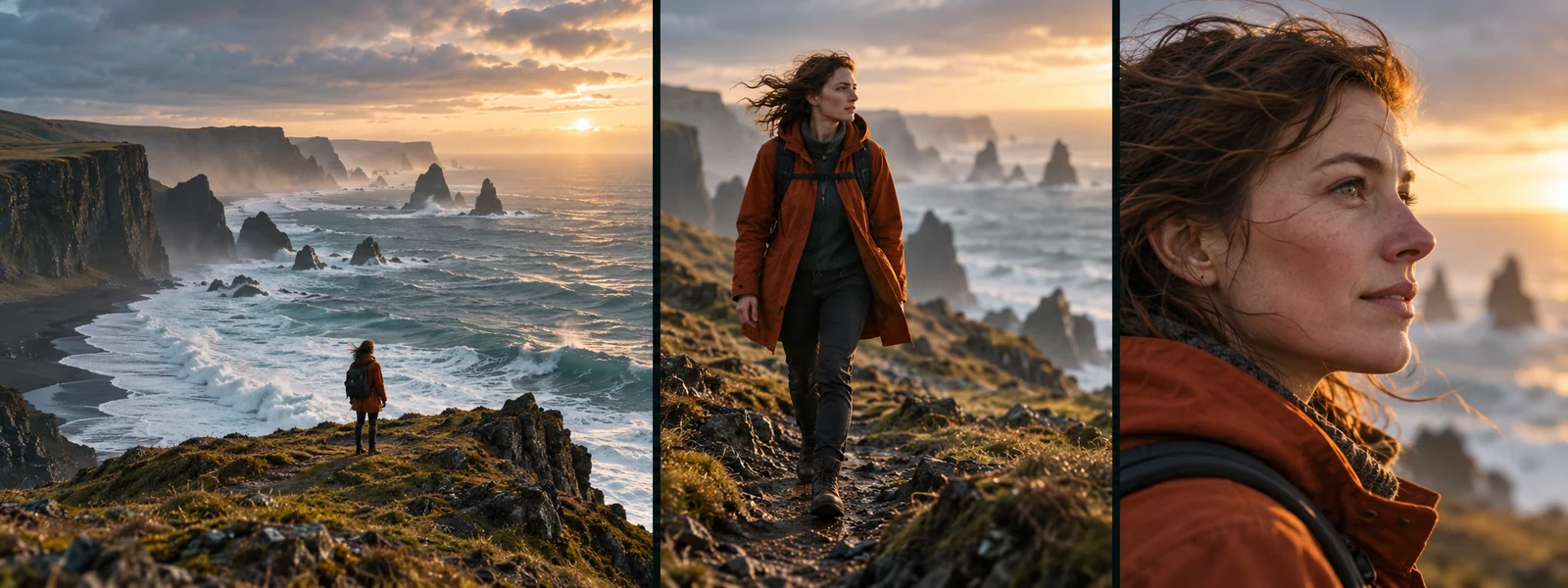
A coastal journey can begin with a wide landscape, move closer to a traveler, and finish on an expression. Plan that progression before generating: each shot should add something the previous view could not show.

Three storyboard panels showing a traveler in an orange jacket on a rocky coast: a wide landscape, a medium walking shot, and a close-up of her face
  1. 01

    Write the moment, not just the mood

    Start a Veo 4 prompt with a visible event: a traveler pauses at a cliff edge, turns toward the sea, and holds her gaze. Add the weather and light after the action is clear. This gives the scene a readable beginning and end.

  2. 02

    Let an image establish the starting point

    Choose a reference for your Veo 4 scene with a clear subject, useful framing, and enough space for the intended movement. Describe what should happen next rather than listing everything already visible. For a product, make its outline and key details easy to see.

  3. 03

    Separate subject motion from camera motion

    A person walking forward and a camera tracking backward are different instructions. State both when they matter. Try a still camera for a small gesture, a slow push for an important detail, or a wider view to reveal the setting.

  4. 04

    Carry a few details across the story

    Keep a short continuity note for your Veo 4 drafts: the orange jacket, the coastal light, and the direction of travel. Compare those details across shots, then choose clips that belong together when you assemble the sequence.

Two briefs, two ways to direct attention

Develop a concrete idea with Veo 4

A product film needs a clear focal point. A quiet story needs room for a gesture. Use these visual concepts to plan what moves, where the camera looks, and when the viewer receives new information.

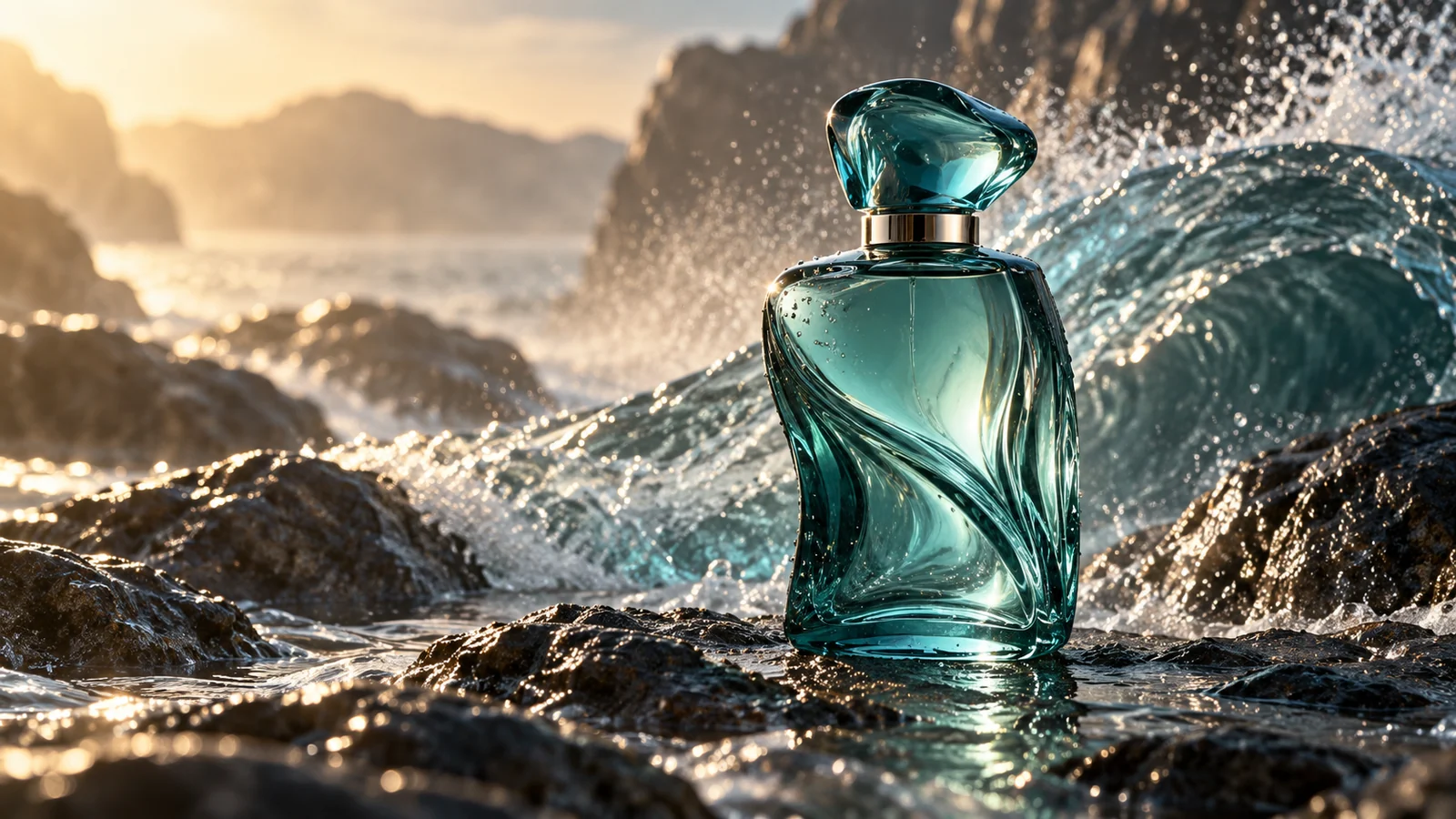
  1. A teal glass perfume bottle on wet coastal rocks, with a breaking wave, water spray, and warm evening light
    1

    Build a product reveal around texture and movement

    For a Veo 4 product brief, use the teal perfume bottle as the visual anchor. Plan a wide coastal opening, a gentle move toward the wet glass, and a final hold on the product. Let the waves supply background movement while the bottle remains the focus. Compare a restrained camera move with a closer detail shot, checking the bottle shape, reflections, and space for a headline added in editing.

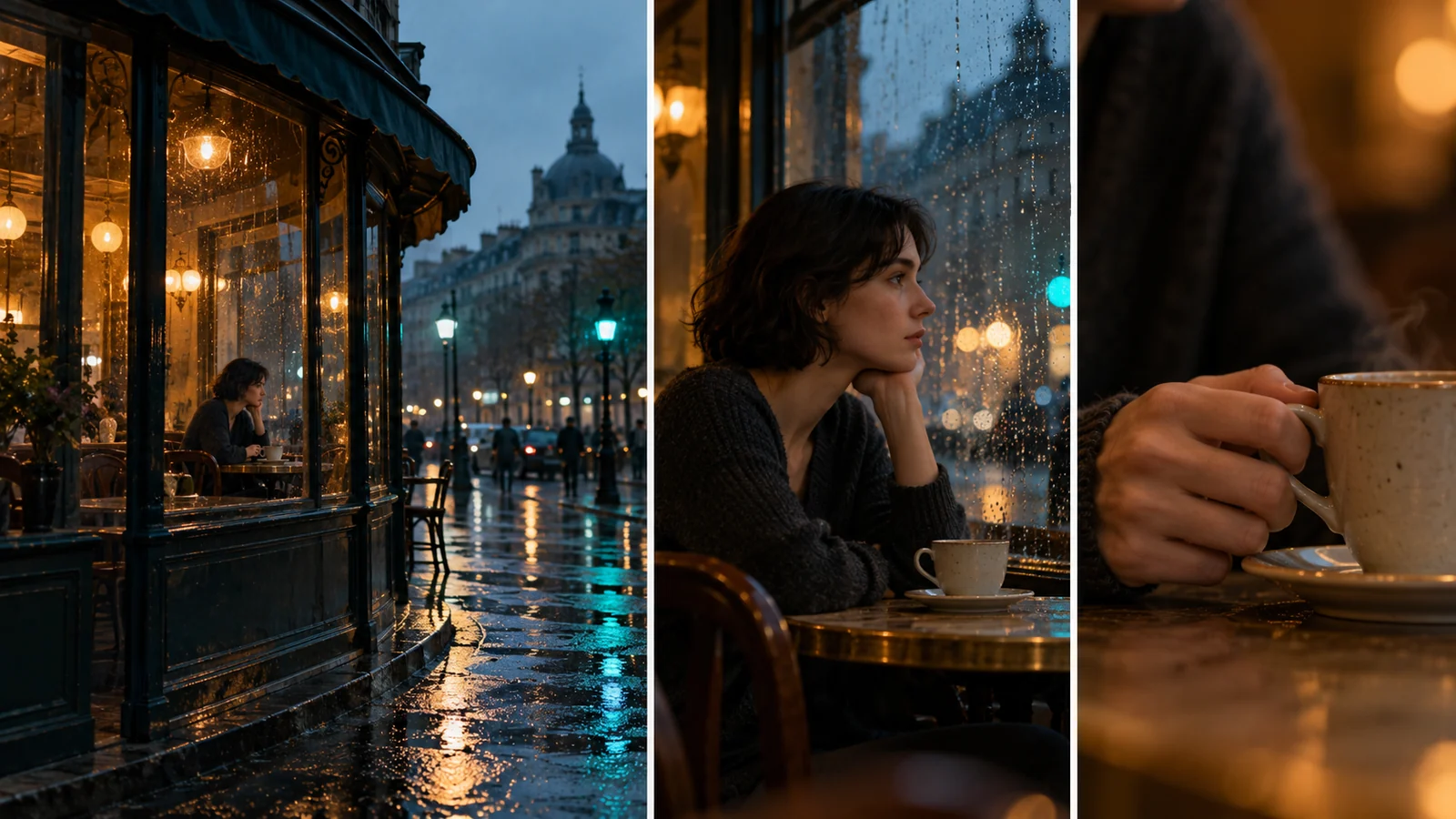
  2. Three panels of a rainy café: a wide street view, a woman sitting by the window, and a close-up of her hand holding a steaming cup
    2

    Tell a quieter story through changes in framing

    The rainy café concept moves from the street to a woman by the window, then to her hand around a warm cup. Use Veo 4 to explore these moments as individual shots. Describe a glance outside or a small movement of the cup, and give the action time to read. Compare a wider frame that holds the setting with a closer view that draws attention to the gesture.

A repeatable process for the next take

From your first Veo 4 prompt to a chosen draft

Keep the purpose of the clip in view as you work. A clear brief and a focused review make it easier to decide which version is worth developing.

  1. 01

    Choose the destination

    Decide whether the clip is a product ad, a social post, or a story preview. Name the audience and the one thing they should notice. Plan the framing around the intended placement, including space for captions you will add later.

  2. 02

    Describe a manageable shot

    Write your Veo 4 brief in a simple order: subject, action, camera movement, setting, and light. Keep the first attempt focused on one event. If starting from an image, explain the motion you want to introduce.

  3. 03

    Change one creative choice

    Try a closer camera, a calmer pace, or a different opening action. Keep the rest of the brief stable so the comparison answers a useful question. Note what you changed and which version you prefer.

  4. 04

    Watch the whole clip

    Review Veo 4 drafts from the first frame to the final moment. Look for distracting changes in faces, products, hands, or backgrounds. Check whether the action reads clearly, then select the clip you want to take into your editing process.

Make the brief fit the job

Where Veo 4 fits into your creative day

Different projects need different kinds of footage. Choose the role of a clip first, then decide what its subject, movement, and composition need to communicate.

01

Product ads and launch concepts

Explore a reveal, a material detail, or a product in its intended setting. Use Veo 4 drafts to compare visual directions before selecting footage for a campaign. Keep packaging and product details on your review checklist.

02

Social clips with a clear opening

Build a Veo 4 social clip around a gesture, a surprising view, or a visual change that reads at a glance. Keep the focal point easy to find on a small screen and leave room for your captions and closing message.

03

Story previews and scene planning

Use Veo 4 to explore how a written scene might unfold. Plan an establishing view, an action, and a reaction. Review the sequence as a storytelling proposal and identify the moments that need more development.

04

Atmosphere and supporting footage

Plan rain against a window, fabric catching the breeze, or a slow move through an interior. These shots can support an introduction or a transition. Match their lighting and pace to the main sequence.

05

Creator pitches and visual proposals

Turn an abstract direction into a concrete scene for discussion. Share the selected draft alongside the brief, explaining what you want to keep and what still needs refinement before the next production stage.

06

Creative versions with a purpose

Compare Veo 4 concepts by changing the opening, framing, or movement. Ask which version makes the product easier to notice or the story easier to follow. Choose against the brief rather than judging only a striking still frame.

Practical answers before you begin

Questions about creating with Veo 4

Prepare useful references, write clearer motion instructions, and make better decisions when reviewing your next video draft.

01

What is Veo 4?

Veo 4 is a video creation platform for developing ideas from text and images. It is designed around practical creative tasks such as product ads, social clips, and story previews. Start with a scene, describe the action, and review the result against the purpose of your project.

02

Should I start with text or a reference image?

Use text when the setting and composition are still open to exploration. Choose an image when you already have a product, subject, or visual direction to build from. A useful reference has clear details and framing that leaves room for the action you want to describe.

03

How do I describe camera movement in Veo 4?

Explain where the camera begins, how it moves, and what it should reveal. For example: begin at table height, move slowly toward the bottle, and finish on its cap. Describe subject movement separately and avoid combining several competing camera moves in the same shot.

04

How can I compare versions without losing direction?

Give each draft a simple label in your notes, such as wide opening or closer detail. Change one decision at a time and judge the result against a short checklist: clear subject, readable action, useful ending. Keep the prompt for the version you want to develop.

05

What should I check in a product video?

Watch the full clip and inspect the product shape, label, proportions, and reflections. Check any contact with hands or surrounding objects. Add approved titles and selling points during editing, then review the completed video at the size and framing of its intended placement.

06

Can I use Veo 4 to plan a longer story?

Break the story into individual scenes and give each shot one job, such as establishing a location or showing a reaction. Keep notes on character appearance, lighting, and movement direction. Compare the selected clips together in your editing process to assess continuity and pacing.

07

How do I start a Veo 4 project and review the cost?

Prepare your idea in the homepage prompt box or open the creation workspace. Sign in, choose the model and settings for your task, and review the displayed credit charge before submitting. Use the pricing page to compare subscriptions and credit packs.

Veo 4 Pricing for Video Creation

Plan your video work with Veo 4: choose monthly or annual credits for a regular publishing schedule, or a one-time pack for a specific project. Check each plan’s allowance, billing cycle, and benefits below.

Cancel anytime

Starter

$14.99
USD / mo
100 credits ≈ $4.28
For exploring video ideas and developing your first scenes.

What's included

  • 350 workspace credits per month
  • Up to 2 generation batches at once
  • Use credits across creation models enabled in the workspace
  • Guide image creation with references where supported
  • Generation history and result downloads
  • Credits valid while subscribed, cancel anytime
Most Popular

Pro

$39.99
USD / mo
100 credits ≈ $2.50
For creators making video content as part of a regular publishing schedule.

Everything in Starter, plus

  • 1,600 workspace credits per month
  • Up to 4 generation batches at once
  • Up to 4 results per batch
  • Lower cost per AI generation
  • More room for reference-led image exploration
  • Commercial license included
  • Credits valid while subscribed, cancel anytime

Premium

$119
USD / mo
100 credits ≈ $2.16
5,500 credits
For teams planning a larger volume of video projects and creative iterations.

Everything in Pro, plus

  • 5,500 workspace credits per month
  • Up to 8 generation batches at once
  • Up to 4 results per batch
  • Lowest monthly cost per AI generation
  • Built for teams, studios, and visual content workflows
  • Commercial license included
  • High-volume image exploration and visual asset creation
  • Credits valid while subscribed, cancel anytime
For any questions about payment or plans, contact our support team: Contact support

Pay safely and securely with

UnionPay
▷▷

Make your next idea visible

Start your next scene with Veo 4

Bring a sentence, a product image, or a story moment. Decide what should move and what the viewer should notice, then take the first draft toward a version you want to keep.